nona88 Mobile App
Most users access nona88 through a browser on their phone, but we also offer a native Android app for faster performance and offline features. The app and web versions carry the same account, payment methods, and betting markets — you choose based on your device and preference. We support Android 7 and later, and iOS users can access nona88 through a mobile browser or web app.

- DownloadAPK
- StartFirst Game
- LoginOTP Verification
Our nona88 app loads Liga 1, Piala AFF, Champions League, and other football markets without delay. Live-dealer tables (blackjack, roulette, baccarat, Dragon Tiger) stream smoothly on mobile. Slots like Aviator, Sweet Bonanza, Gates of Olympus, Fortune Tiger, and Mahjong Ways run natively on the app. Deposits via DANA, e-wallet, mobile banking, local payment, online payment, e-wallet, mobile banking, local payment, online payment, e-wallet process the same way on app or browser.
Installation takes under two minutes. After download and registration, your account syncs across all devices. We encrypt all data in transit and at rest. Your login credentials, payment details, and betting history remain secure whether you use the app or web version.
How to install nona88 on your device
We offer three paths to access nona88: Android APK download, iOS browser access, or web app. Android users download the APK directly from our site. iOS users open nona88 in Safari or Chrome and can add a home-screen shortcut. Web users access nona88.vip from any browser on any device.
Installation steps for Android
- Download the nona88 APK file from our site to your Android device.
- Open Settings, go to Security, and enable "Unknown Sources" to allow installation from outside the Play Store.
- Open the downloaded APK file and tap Install.
- Once installed, open the nona88 app, register or log in, and start using your account.
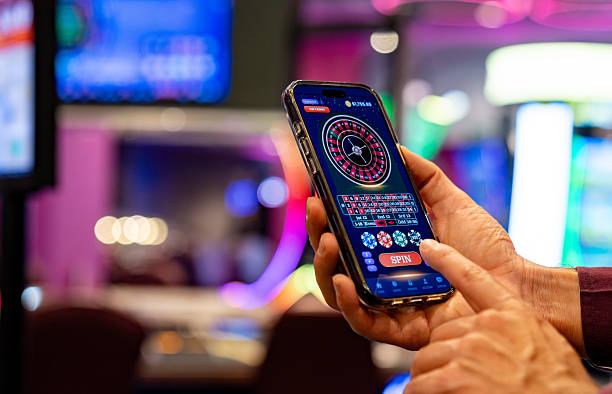
App vs. browser: which should you use on nona88
The nona88 app offers offline caching, so you can view your account balance and recent bets without an internet connection. Push notifications alert you to live-match updates, odds changes, and withdrawal confirmations. The app loads faster than the browser on slower connections and uses less data. However, the browser version works on any device without installation and updates automatically. Choose the app for speed and notifications; choose the browser for flexibility and no setup.
App strengths
- Faster load times on slow networks
- Push notifications for live updates
- Offline account view
- Lower data usage
Browser strengths
- No installation required
- Works on any device
- Automatic updates
- No storage space needed
Device compatibility for nona88
Our nona88 app requires Android 7.0 or later. Most Android phones from 2016 onwards meet this requirement. iOS users can access nona88 through Safari or Chrome on iOS 12 or later. Tablets (iPad, Samsung Galaxy Tab) work with both the app and browser versions. We recommend at least 100 MB of free storage for the Android app. Internet connection is required for all features except offline account viewing on the app.

Troubleshooting common nona88 app issues
If the APK fails to install, check that "Unknown Sources" is enabled in your device settings. Some Android versions hide this setting under "Install from unknown apps" per app. If you see a certificate warning, this is normal for APK files downloaded outside the Play Store — tap "Install anyway" to proceed. If the app crashes on launch, clear the app cache in Settings and try again. If you cannot log in, verify your username and password are correct, and check your internet connection. If push notifications do not arrive, enable notifications in your device settings and in the nona88 app settings.
- Unknown Sources error
- Enable in Settings → Security or Apps → Special app access → Install unknown apps.
- App crashes on launch
- Clear app cache in Settings → Apps → nona88 → Storage → Clear Cache.
- Login fails
- Check internet connection and verify username and password. Use password reset if needed.
- No push notifications
- Enable notifications in device settings and in the nona88 app settings menu.
Data, permissions, and security on nona88
The nona88 app requests permission to access your device storage (for offline caching), internet connection, and notifications. We do not access your contacts, photos, or location. All data sent between your device and our servers is encrypted using SSL. Your login credentials are never stored in plain text on your device. We use industry-standard encryption for payment data. Account verification (KYC) requires identity confirmation, which we store securely and use only for compliance. You can reset your password anytime from the login screen. If you suspect unauthorized access, change your password immediately and contact our support team through the in-app help menu.
We at nona88 encrypt all data in transit and at rest. Your account remains secure whether you use the app or browser.
Getting help with nona88 on mobile
If you encounter issues with the nona88 app or browser version, open the in-app help menu or email our support team. We respond to inquiries within a standard timeframe. Common questions cover installation, login, deposits, withdrawals, account verification, and betting rules. You can also check our FAQ for quick answers. For account-specific issues (forgotten password, verification delays, withdrawal status), provide your username and a mobile bankingef description of the problem. We do not ask for passwords or payment details via email.